How to start the SFDR Assessment
-
You can find the most recent SFDR Assessment Reference Guides for infrastructure asset and fund at documents.gresb.com, which will help you identify information needed to complete your assessment.
-
Sign into the GRESB Portal and navigate to the SFDR Assessment section.
(For organizations that have never participated in a GRESB Assessment, you can create a new account in the GRESB Portal and select the “Infrastructure” Assessment. If you want to speak with us first, reach out.)
-
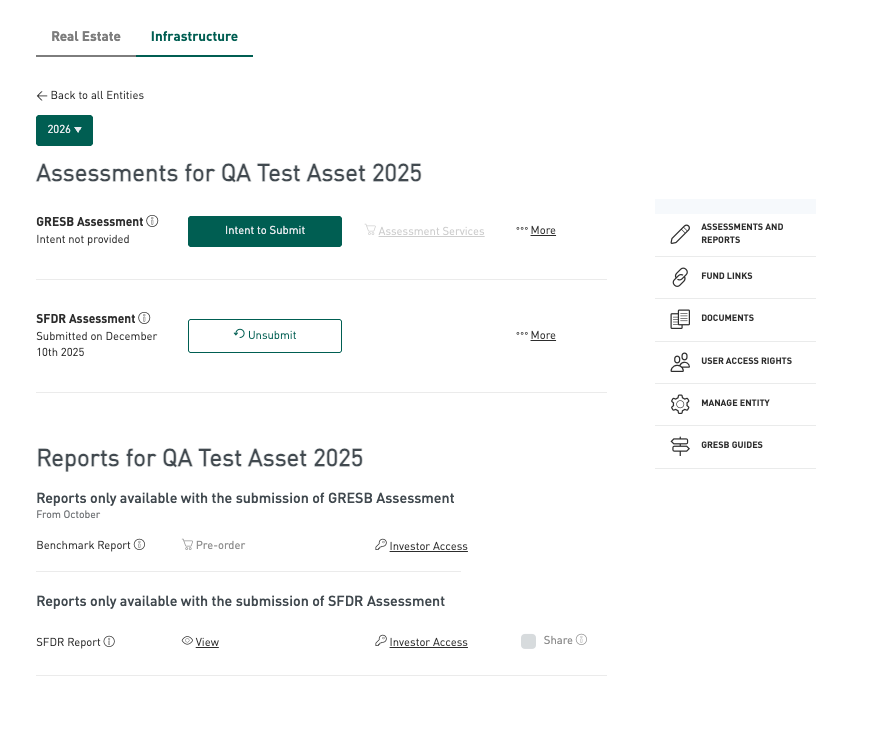
Navigate to an existing entity (or create a new one) and select ‘SFDR Assessment’ and choose your ‘intention to submit’ to help keep track of your progress. You will then be redirected to the Assessments page, where you click on ‘Start Assessment’ in the SFDR section.
-
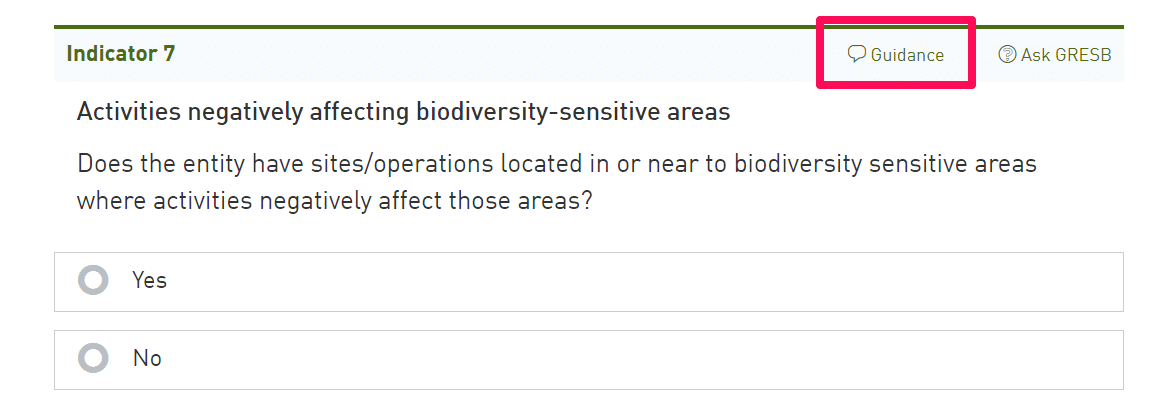
Now you can begin adding information to the assessment, using the guidance found in the header of each indicator. This guidance is also provided in the SFDR Assessment Reference Guide, available under Step 1 above.
-
Before submitting, make sure to the status of your connections to assets for infrastructure funds. Check the ‘review page’ for potential messages.
-
Submit the assessment. Please note that you will only be able to submit if you have completed an addendum (existing participants) or a participation agreement (new participants). Additionally, only entities linked to a participant member account will be able to submit. If you are unsure about your status, you can reach out to us and you will be directed to a member relations representative.
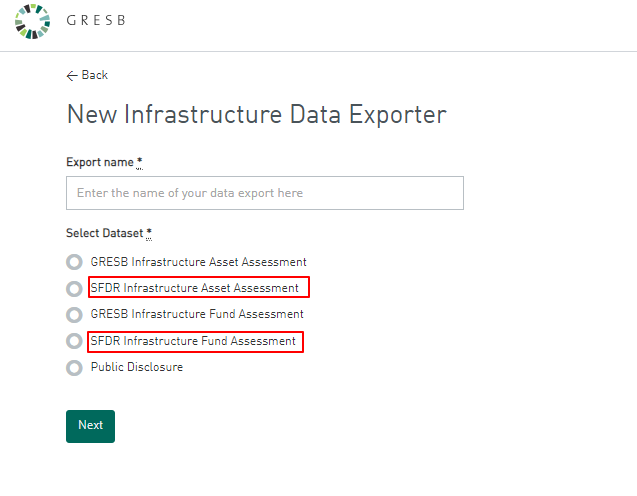
After submission, you will be able to visualize the SFDR reports in the GRESB Portal and download SFDR data via the Data Exporter.
Get the SFDR Reporting Solution for infrastructure.